

Disney’s streaming bundle that includes Hulu, Disney+, and ESPN+ has long been one of the best packages in streaming. The Disney Bundle includes Disney+, ESPN Select (or Unlimited), and the Hulu plan that fits you best for a discounted price. You can save 25%, compared to the monthly cost of subscribing to all 3 services separately! You can also choose the Disney+ and Hulu bundle if sports are not a priority.
With Disney+, you get new releases, classics, series, and Originals from the creators at Disney, Pixar, Marvel, Star Wars, and Nat Geo.
With Hulu, you can enjoy over 80,000 episodes of every kind of TV, including hit series, breakthrough Hulu Originals, and kids TV.
And with ESPN Select/Unlimited, you can stream thousands of events, top originals, the complete 30 for 30 library, and more.
If you are new to both Disney+ and Hulu, you can subscribe to the bundle directly. How many Disney+ bundles are there and how much do they cost?
| Services | Price | |
| Disney+, Hulu Bundle | Disney+ (With Ads) Hulu (With Ads) | $12.99/month |
| Disney+, Hulu Bundle Premium | Disney+ (No Ads) Hulu (No Ads) | $19.99/month |
| Disney+, Hulu, ESPN Select Bundle | Disney+ (With Ads) Hulu (With Ads) ESPN Select (With Ads) | $19.99/month |
| Disney+, Hulu, ESPN Select Bundle Premium | Disney+ (No Ads) Hulu (No Ads) ESPN Select (With Ads) | $29.99/month |
| Disney+, Hulu, HBO Max Bundle (With Ads) | Disney+ (With Ads) Hulu (With Ads) HBO Max (With Ads) | $19.99/month |
| Disney+, Hulu, HBO Max Bundle (No Ads) | Disney+ (No Ads) Hulu (No Ads) HBO Max (No Ads) | $32.99/month |
1. Go to https://www.disneyplus.com with your desktop or mobile browser.
2. Scroll down to below portion and choose a plan.

3. Click the blue SELECT button and follow on-screen instructions to finish your subscription.
4. Download the Hulu and Disney+ apps on your mobile, log in to your account, and start streaming.
If you want to download Hulu and Disney+ movies and TV shows for offline playback, remember to get the Premium bundle. If that’s a little expensive to you or you don’t need ESPN, just get Disney+ and Hulu Bundle for $12.99/month and download Hulu and Disney+ movies and TV shows to MP4 for offline playback with Pazu Hulu Downloader and Pazu Disney+ Downloader.
No, currently there isn’t a free trial for the Disney+ Hulu Bundle. If you sign up for Hulu only first, you will get 30-day free trial. So we strongly recommend you get Hulu free trial first, as Hulu free trial requires you as a new user to Hulu, while Disney+ Hulu Bundle doesn’t.

If you already have Hulu subscription, you can switch to Disney+ Hulu Bundle in Hulu settings.
Remember to get the Premium bundle if you want to stream Hulu and Disney+ ad-free or download videos to watch offline. If that’s expensive to you, just get the Basic bundle and download Disney+/Hulu movies and TV shows to MP4 for offline playback with Pazu Disney+ Downloader or Pazu Hulu Downloader. You can still watch the downloaded videos even after cancelling Disney+ Hulu Bundle.

How do I get the Disney+ bundle if you already have Hulu?
If you have an existing monthly Disney+ subscription billed directly by Disney+, you can switch to the Disney Bundle through your Disney+ Settings.
If you have an existing annual Disney+ subscription billed directly by Disney+, to switch to the Disney Bundle, you will first need to switch to a monthly subscription and wait until the end of your current billing period.
If you have an existing Disney+ subscription billed by third parties, you need to cancel it first and then subscribe to Disney+ bundle.
If you already have two or more standalone subscriptions, you need to contact Disney+ for help on how to upgrade to a Bundle subscription.
By downloading Disney+ movies and TV shows to MP4, you can watch the videos offline forever even after canceling Disney+ subscription. To download Hulu videos to MP4, get Pazu Hulu Video Downloader.
The powerful Disney+ video downloader is Pazu Disney Plus Downloader. Pazu Disney Plus Downloader is a useful app to download Disney+ videos on Windows and Mac while you have a connection to the Internet. The downloaded videos are saved to MP4/MKV in 720P, so you can watch them offline anywhere you want without Disney+ or website.

Download Disney+ movies & TV shows to MP4 with HD quality.
The following is the detailed tutorial to download movies and TV shows from Disney+ with Pazu Disney+ Video Downloader.
Download, install, and launch Pazu Disney+ Video Downloader on your Mac or Windows. Select Disney and log in to your Disney+ account. Click the Settings icon > “Register” and enter your registration code to unlock the full version if you have purchased a registration. If you haven’t, go ahead with the free trial version.

Click the Search tab at the top and enter the movie/TV show title in the search field.

Or copy and paste the link of the movie/TV show from the Disney+ website. Then click the Search icon.

Click the Settings button in the upper right corner and select “Preferences” to customize the video format (MP4/MKV), video codec (H.264, H.265), and output path, select the language of audio tracks and subtitles, etc.

Pazu Disney+ Video Downloader allows you to select specific audio tracks and subtitles for downloading.
If you are downloading a movie, there is a Settings icon next to the Download icon. Click it to choose the exact audio and subtitle languages. Click on the Download icon to start downloading the movie.
If you are downloading a TV show, after clicking the download icon, you will see all episodes and the Settings buttons on the pop-up window. You need to select the episodes you want to download and click the Settings button to choose the exact audio and subtitle languages, then click the Download button.

Then click the Download button in the bottom right corner. The downloading begins.

If you cancel your subscription before or after the free trial ends, you can no longer watch the downloaded movies and TV shows.
Luckily, with the professional Pazu Hulu Video Downloader, you can download any Hulu movies and TV shows on Windows and Mac. What’s more, the videos are downloaded to MP4 format, which means you can watch them even after you cancelling Hulu subscription. Follow below steps and learn how to download Hulu movies and TV shows to MP4 and watch them on Nintendo Switch.
Download, install and launch Pazu Hulu Video Downloader on your Mac or Windows. Click the HULU icon, choose hulu.com or hulu.jp, and log in to your Hulu account.
Select a profile.
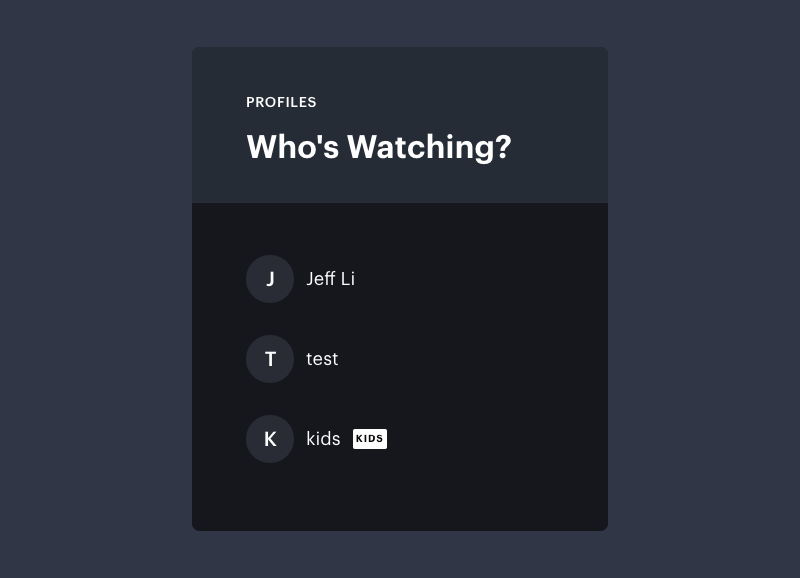
Click the Search tab at the top and enter the title of a show/movie in the search bar.

Or copy&paste the link of the movie/TV show from Hulu website. Then click the Search icon.

Click the Settings icon and select “Preferences” to change the video format, codec, audio language, subtitle language and type, interface language, and more.
Click the Download icon next to the title. For a movie, it starts downloading right away. For a show, you can choose the season and episodes you want to download.

Then click the Download button in the bottom right corner to download Hulu shows or movies to your computer.

Click the History menu to view all downloaded videos. Click the folder icon to quickly locate the Hulu videos in MP4 or MKV format, then you can play them anywhere you want.

In 2006, Disney officially launched the “one-app experience” and added certain Hulu programming to Disney+ for subscribers who already subscribe to both apps.
The new app will serve customers who already have both Disney+ and Hulu, while Disney continues to offer Disney+, Hulu, and ESPN as standalone options.
Disney also removed some content from its streaming services, with CFO McCarthy stating that the company is “in the process of reviewing the content on our DTC services to align with the strategic changes in our approach to content curation.”
To keep content that will be removed, we strongly recommend you download your favorite movies and TV shows to MP4 with Pazu Hulu Downloader and Pazu Disney+ Downloader.
Related articles

Download Disney+ movies and TV shows to MP4/MKV on your PC/Mac