

Disney Plus is already in the top tier of streaming services, with a huge catalog of popular TV shows and movies you won’t find anywhere else. There’s a ton of Marvel, a ton of Star Wars, a boatload of Pixar and a boatload of National Geographic (owned by Disney). With so many movies and TV shows, if you can think of a Disney movie or TV show, it’s probably there. However, Disney has increased the price of its streaming platforms each year since 2019. The Disney+ Premium now costs $18.99/month or $189.99/year. Many people complain about the price increase and ask how to get Disney+ for free. Well, in this guide, we will explore various methods to get Disney+ for free or cheaper.
Contents
Related: How to get free Netflix?
The mobile carrier O2 is offering up to six months free streaming with Disney+ on a huge number of its popular O2 plans. Whether you’re new to O2 or upgrading, you can get up to free Disney+ for three or six months, or included for the lifetime of your Ultimate Plan, depending on the tariff you’ve chosen. Simply choose it as your Extra when you checkout.

If you’re joining O2 or upgrading, you can choose Disney+ as you included Extra when completing your order online, in store or over the phone. Your Extra will last for one, three or six months, depending on the tariff you’ve chosen.

Details: https://www.o2.co.uk/extras/disney-plus
If you have any of these previously available plans, you’re eligible for the Disney+ Premium (No Ads) 6-month subscription offer. However, these plans are no longer available to add to your account.
If you have 5G Get More or 5G Play More, you’re eligible to get the Disney Bundle included on your account for no extra charge.
Details: https://www.verizon.com/support/disney-faqs/
Disney+ Basic with Ads is included with Spectrum TV Select, Spectrum TV Select Signature and Spectrum TV Select Plus. For an additional $6 per month, you can upgrade to Disney+ Premium and enjoy all the entertainment included in Disney+ without any ads. Spectrum TV Select Signature is $100/mo for 1 year.

How to get free Disney+ Basic offer through Spectrum?
Make sure you have an eligible Spectrum package with Disney+ Basic included.
If you use existing, active Disney+ credentials for your subscription, Disney will email you after activation regarding subscription management options.
Details: https://www.spectrum.com/cable-tv/streaming/disney-plus
Disney+ Hotstar subscription is included in Airtel Plans in India. Get an Airtel sim or broadband, they have packs that offer a complimentary JioHotstar (formerly Disney+ Hotstar) subscription. You can also pay it with an Airtel Axis card for an additional 25% off up to ₹300 per month.

Details: https://www.airtel.in/hotstar-subscription-pack?icid=postpaid
Get 1 year free JioHotstar (formerly Disney+ Hotstar) Subscription with Vi qualified prepaid & postpaid plans.

Details: https://www.myvi.in/disney-plus-hotstar-subscription-offer
Users with qualifying Rogers Xfinity TV plan (Total, Popular, Premier, Ultimate or Flex 20 can get Disney+ Standard with Ads at no additional cost. You’ll see the banner to activate your included Disney+ Standard with Ads subscription when you sign in to MyRogers and navigate to your TV dashboard.
This offer is available to both new and existing Disney+ subscribers. If you’re a current Disney+ subscriber, you need to cancel your existing subscription, and then redeem the Disney+ Standard with Ads subscription included in your Rogers Xfinity TV package.
Currently you can’t upgrade the included Disney+ subscription to Standard or Premium, although Rogers said they plan to offer the ability to upgrade through Rogers in the future. To get rid of ads and download videos to watch offline, you can use Pazu Disney+ Downloader to download any movies and TV shows to MP4/MKV.

Get free Disney+ for 12 months with your eligible du Home and Power plans.
Details: https://www.du.ae/disneyplus

Disney offers promotional discounts for Disney+, Hulu bundle from time to time, with the most aggressive deals typically during the Black Friday season. The 2025 Disney+, Hulu Black-Friday offer Disney+, Hulu Bundle Basic (With Ads) at $4.99/mo for 12 months, valid until 12/1/25. After 12-month promo period, Disney+, Hulu Bundle Basic auto-renews at then-current monthly retail price ($12.99/mo (plus tax, where applicable)) until canceled.
Details: https://www.disneyplus.com/

The first and easiest way to get free Disney Plus accounts is to borrow one from a friend. Disney+ allows six additional profiles (seven in total) per subscription. Profiles keep track of your favorite shows and movies, plus you’ll receive personal recommendations based on your watch history. One subscription allows up to four simultaneous streams across multiple supported devices. So it’s totally accessible to share one subscription with your friends.
Although Disney+ is cracking down on password sharing, it seems phone/tablet/laptop streaming are not affected. You will only get household update notice on TV and TV-connected devices.
Or you can also ask the Disney+ subscriber to add you as Extra Member, then you can get Disney+ Basic for $6.99 monthly or Disney+ Premium for $9.99 monthly. Note that as Extra Member, you can only create one profile and stream on one device at a time.

Starting at $12.99/month, you can get ad-supported Disney+, Hulu Bundle. Before 1:00 PM PST on 2/17/26, new and eligible returning subscribers can get the first month for $9.99. Or get Disney+, Hulu, HBO Max bundle (With Ads) for 19.99/month.

Details: https://www.disneyplus.com/
Verizon Unlimited Ultimate, Unlimited Plus, Unlimited Welcome plan users can get Disney+ bundle(Disney+ (No Ads), Hulu (With Ads), and ESPN+ (With Ads)) for $10/month, saving $9.99/month.

Details: https://www.verizon.com/plans/unlimited/
After subscribing to Times Prime at ₹1199 per year, you get the best offers on your favorite brands and OTT platforms like Disney+ Hotstar, YouTube Premium, Audible, etc., and many other benefits. You get a complimentary Disney+ Hotstar Super subscription for 6 months and you can stream the latest Hotstar Specials, Disney+ Hotstar Multiplex Movies, Marvel Studios Movies, Disney+ Movies, and more on your device.

Details: https://www.timesprime.com/categories/Entertainment/hotstar-subscription
Swiggy One members also have exclusive offers from popular OTT platforms – 50% discount on the Disney+Hotstar 3 Months Super plan.
Receive a $10 monthly statement credit when you subscribe with a registered Blue Cash Preferred card, now with no minimum purchase requirement. Available only on DisneyPlus.com, Hulu.com, or Plus.espn.com in the U.S. Subscriptions are subject to auto-renewal.

Details: https://www.americanexpress.com/en-us/account/get-started/bcp/uncover-your-benefits
Disney+ in Turkey is much cheaper. To save money with Disney+ Turkish subscription, follow below steps:

On Android, set up a new Turkey Google account and sign up for Disney+ using the new Turkey Google account. You can pay with Revolut via Google Play.
Tesco Clubcard members can redeem 3 month Disney+ Standard offer with €15 of Clubcard vouchers. After 3 months, your subscription will automatically renew on a monthly basis at the then-current Standard price in Republic of Ireland if you don’t cancel the subscription. This offer is valid by 1st May 2026.

Details: https://www.tesco.ie/clubcard/vouchers/Disney+
Google Play Points is offering free Disney+ for Gold, Platinum and Platinum members for 6, 9, 12 months respectively. You can claim the offer in the Perks of the Points section of the Play Store app. Open the Google Play Store app. Click the circle at the top right to open account info. Then click the Play Points section. Click on Perks to claim the offer. Make sure your account is new to Disney+.

By downloading Disney+ movies and TV shows to MP4, you can watch the videos offline forever even after canceling Disney+ subscription.
The powerful Disney+ video downloader is Pazu Disney Plus Downloader. Pazu Disney Plus Downloader is a useful app to download Disney+ videos on Windows and Mac while you have a connection to the Internet. The downloaded videos are saved to MP4/MKV in 720P, so you can watch them offline anywhere you want without Disney+ or website.

Download Disney+ movies & TV shows to MP4 with HD quality.
The following is the detailed tutorial to download movies and TV shows from Disney+ with Pazu Disney+ Video Downloader.
Download, install, and launch Pazu Disney+ Video Downloader on your Mac or Windows. Select Disney and log in to your Disney+ account. Click the Settings icon > “Register” and enter your registration code to unlock the full version if you have purchased a registration. If you haven’t, go ahead with the free trial version.

Click the Search tab at the top and enter the movie/TV show title in the search field.

Or copy and paste the link of the movie/TV show from the Disney+ website. Then click the Search icon.

Click on the Settings button in the upper right corner and select “Preferences” to customize the video format (MP4/MKV), video codec (H.264, H.265), and output path, select the language of audio tracks and subtitles, etc.

Pazu Disney+ Video Downloader allows you to select specific audio tracks and subtitles for downloading.
If you are downloading a movie, there is a Settings icon next to the Download icon. Click it to choose the exact audio and subtitle languages. Click on the Download icon to start downloading the movie.
If you are downloading a TV show, after clicking the download icon, you will see all episodes and the Settings buttons on the pop-up window. You need to select the episodes you want to download and click the Settings button to choose the exact audio and subtitle languages, then click the Download button.

Then click the Download button in the bottom right corner. The downloading begins.

UK residents who buy a Samsung Galaxy S24 Series can get 12 months of Disney+ for free.
This offer is for 18+ UK residents only. The Disney+ 12-month subscription offer is valid between 17/01/2024 and 31/03/2024. You need to redeem the code by 1st May 2024. Subscription auto renews after 12 months unless cancelled prior to the end of the 12-month subscription (currently £7.99p/month). Cancel anytime.

Claim 6 months of Disney+ when you pre-order a Samsung Galaxy S23 series. Purchase by 31/01/2024.
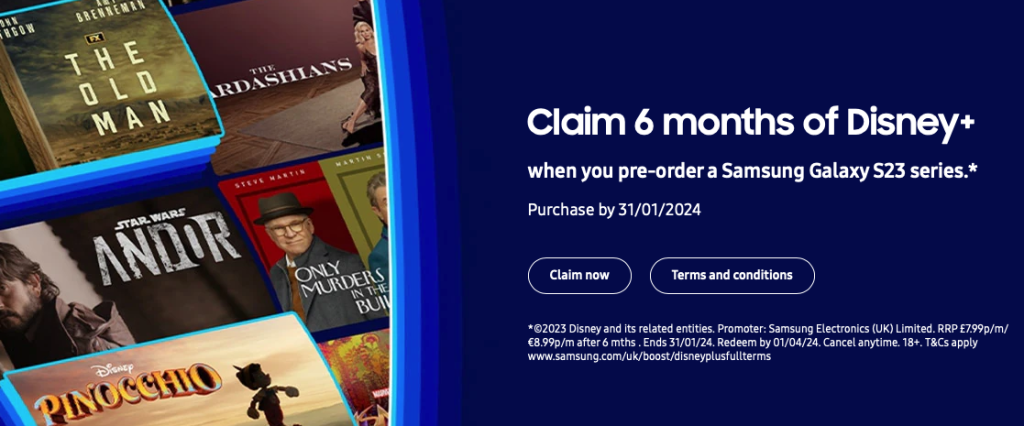
Get 12 months of Disney+ when you pre-order the new Galaxy Z Fold 5, Flip5 or Tab S9 series. For UK and Ireland users.

We’re offering selected Tesco Mobile customers a 3-month Disney+ subscription on us. The offer is available to 18+, selected Tesco Mobile pay monthly customers only. If eligible, we’ll send you an email with a unique Disney+ subscription code, which you can redeem via the Disney+ website, www.disneyplus.com/redeem.

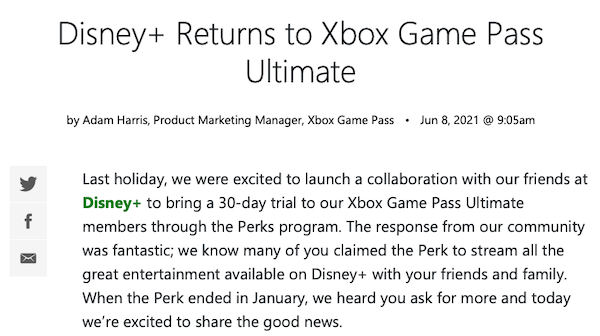
Xbox is giving away a 30-day free trial of Disney Plus by signing up for their Game Pass Ultimate service. You’ll get a free month of Disney+ (a $7.99 value) when you sign up for Xbox Game Pass Ultimate. Your first month of Ultimate is only $1.
Related articles

Download Disney+ movies and TV shows to MP4/MKV on your PC/Mac