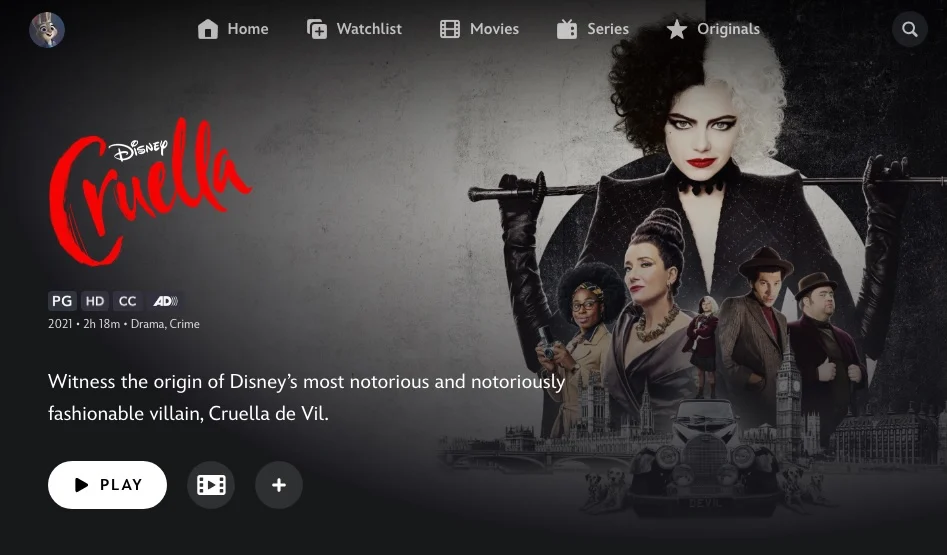
Looking to stream or download Disney’s 2021 live-action hit Cruella? Starring Emma Stone as the legendary fashion-obsessed villain, Cruella is available to stream on Disney+. If you have an active ad-free subscription, you can also download the movie directly through the official Disney+ app for offline viewing.
In this guide, we’ll walk you through how to download Cruella on supported devices, along with a simple alternative to save the movie locally without app limitations.
What Is Cruella about?
Disney’s 2021 film Cruella is based on the character Cruella de Vil from Dodie Smith’s 1956 novel The Hundred and One Dalmatians. The character Cruella appeared in the 1996 film 101 Dalmatians, starring Glenn Close, and the sequel 102 Dalmatians in 2000.
Born with striking black-and-white hair and a rebellious streak, young Estella dreams of becoming a fashion designer. After witnessing the tragic death of her mother, who was pushed off a cliff by a trio of ferocious Dalmatians, orphaned Estella flees to London. She builds a life on the streets with two clever thieves, Jasper and Horace, using her sharp style to pull off petty crimes.
Years later, Estella lands a job working for the legendary but ruthlessly cold fashion icon, Baroness von Hellman. When Estella discovers a hidden link between the Baroness and her mother’s fatal accident, she unleashes her wicked, revenge-driven alter ego: the unstoppable Cruella.
Awards of Cruella
The film earned two nominations at the 94th Academy Awards, including Best Makeup and Hairstyling, winning Best Costume Design. It was also nominated in the former category and won in the latter at the 27th Critics’ Choice Awards and 75th British Academy Film Awards, while Emma Stone was nominated for Best Actress in a Motion Picture – Comedy or Musical at the 79th Golden Globe Awards.
The film’s costume designer is Jenny Beavan, a 10-time Oscar nominee for Best Costume Design and two-time winner for “Room with a View” and “Mad Max: Fury Road”, who designed 47 costumes for the female lead.
How to Watch Cruella
You can watch Cruella on Disney+. The Disney+ app is available on mobile devices, game consoles, set-top boxes, and smart TVs. In the US, a monthly Disney+ subscription with Ads currently costs $12.49 per month. If you want to remove ads and watch offline, Disney+ Premium costs $21.49 per month or $214.99 annually. It’s almost 20% less than paying the monthly fee for the year.
Disney+ also offers a Disney+ Standard (No Ads) plan in select international markets that includes the download feature. Check the local Disney+ website for the prices.
You can also sign up for Disney+ bundle plans, which add other streaming services, including Hulu, ESPN Select, or HBO Max, for reasonable prices and save significantly compared to subscribing to them separately.
How to Download Cruella
If you have the Disney+ ad-free plan, you can download Cruella from the Disney+ app on iPhones and iPads, Android phones and tablets, and Amazon Fire tablets to watch offline. However, you can’t download it on Mac, PC, or other devices.
Besides, you’ll need to log into Disney+ online at least every 30 days so your downloads don’t expire.
If you log out of your Disney+ account, all downloaded content will be removed from your device.
To download and keep Cruella forever, the best way is to download it to MP4 with the powerful Pazu Disney+ Video Downloader.
Pazu Disney+ Video Downloader can download unlimited movies and shows from Disney+ on Windows and Mac without the Disney+ app. It supports downloading Disney+ videos in MP4 or MKV format and retains audio tracks and subtitle files in multiple languages. Pazu Disney+ Video Downloader has an intelligent search engine and an advanced download core to help you download high-quality Disney+ videos on Mac and Windows.
This is a detailed tutorial for downloading movies and shows from Disney+ with Pazu Disney+ Video Downloader.
Step 1. Run Pazu Disney+ Video Downloader on your Mac or Windows
Download, install, and launch Pazu Disney+ Video Downloader on your Mac or Windows. Select Disney and log in to your Disney+ account. Click the Settings icon > “Register” and enter your registration code to unlock the full version if you have purchased a registration. If you haven’t, go ahead with the free trial version.
Step 2. Search for movies and shows
Click the Search tab at the top, type the movie/show title in the search field, and click the search icon.
Or copy and paste the link from the Disney+ web player. Pazu Disney+ Video Downloader will search for the content quickly and display the most related videos on the interface.
Step 3. Customize the output settings
Click on the Settings button in the upper right corner and select “Preferences.” Here you can set the output format as MP4 or MKV, choose the video codec, and select the language of audio tracks and subtitles as needed.
Video format: MP4 or MKV
Video codec: H.264 or H.265
Audio language: English, French, German, Japanese, Spanish, Chinese
Subtitle language: English, French, German, Japanese, Spanish, Chinese
Step 4. Download shows and movies to MP4
Click the Download button on the right side. The download begins.
Conclusion
Downloading Disney+ movies and shows to a phone or tablet is easy with an ad-free subscription. However, you can only play the video on the device where you downloaded it. Luckily, with Pazu Disney+ Video Downloader, you can easily have a collection of downloaded Disney+ videos to play on any device. This professional tool downloads movies and shows from Disney+ in MP4 or MKV format, making the videos compatible with multiple devices and letting you play them anywhere, anytime.