

Samsung Smart TV is one of the most popular televisions in the world. It offers a great viewing experience with its curved screen, clear resolution, and intelligent features. If you are a Disney fan, you will love the Disney+ app on Samsung Smart TV. With this app, you can watch your favourite Disney movies and TV shows anytime, anywhere.
Disney+ is a new streaming service by Disney, and it’s available on Samsung smart TVs. If you’re looking for a great way to watch your favourite Disney movies and TV shows, Disney+ is the perfect option.
Disney+ offers a vast selection of content, including classic Disney movies like The Little Mermaid and Pocahontas and newer releases like Frozen and Moana. You can also watch your favourite Disney Channel shows, including Hannah Montana, Phineas, and Ferb, there are tons of exclusive Disney+ originals that you can’t find anywhere else.
If you want to watch Disney+ on your Samsung smart TV, there are a few different ways to do it. You can use the built-in app or use a third-party downloader like Pazu.
If you want to use a third-party App, download Disney+ videos on your Samsung Smart TV, you can use the Pazu Disney+ downloader. This tool allows you to download the Disney+ videos directly to your TV. It is available on the Samsung App Store, and it is free to download.
Via Disney+ app
If you want to watch Disney+ on your Samsung Smart TV via Disney+ app, you first need to ensure that your TV is compatible with the app. The Disney+ app is available on select Samsung models only. You can check if your model is compatible by visiting the Samsung website. To use the built-in app, open up the Samsung Smart TV App Store and search for “Disney+” Once you’ve found it, install it and open it up. You’ll be prompted to sign in with your Disney account information.
USE CHROMECAST TO WATCH MOVIES ON YOUR SAMSUNG SMART TV
You can use Chromecast to watch Disney+ movies from your Android phone on the Samsung smart televisions. Most of the Samsung smart TV have built in Chromecast option available in them full stop the steps to watch movies through Chromecast are:
USE APPLE AIRPLAY TO WATCH MOVIES ON YOUR SAMSUNG SMART TV
Streaming movies on your Samsung smart TV using Apple airplay is very easy.
WATCH DISNEY+ VIDEOS USING AMAZON FIRE STICK
Another amazing option to watch Disney+ movies on your Samsung smart TV is Amazon Fire stick.
Pazu Disney+ Video Downloader is a professional tool for you to download movies and TV shows to MP4 in 720p on your Mac and Windows. as you have downloaded and saved the videos to your Mac and Windows in MP4 format, you can still watch them even after cancelling Disney+ subscription.
Pazu Disney Plus Video Downloader
Pazu Disney Plus Video Downloader is the sureshot solution for your seamless interaction with Disney Plus as:

Download Disney+ movies & TV shows to MP4 with HD quality.
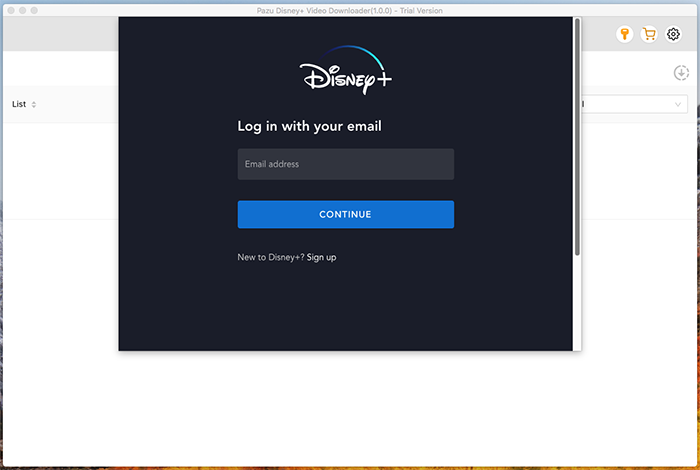
All you need is the Pazu Disney Plus video downloader before planning to download movies and shows from Disney Plus. You can use your free trial version or can go for the paid version of the downloader. Open your Mac or Windows device and run the Pazu Disney Plus video downloader on it. Select the key icon and enter the registration code if you have a purchased version or you can go for entering the details of log-in if you’re using a trial version currently.
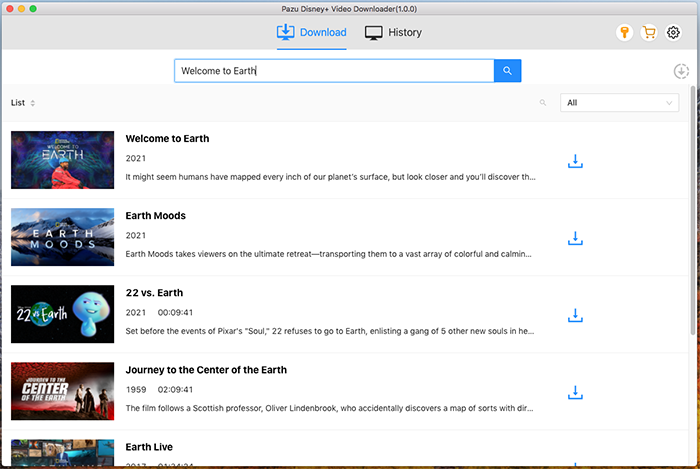
Go to the search field and enter the name of the movie or the TV show.
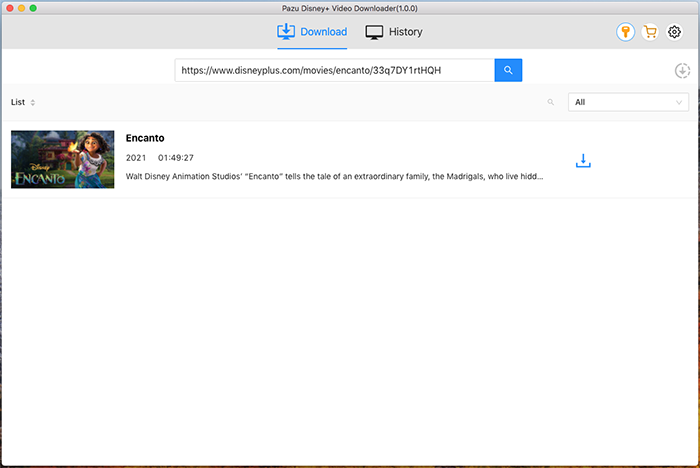
Or copy/paste the link from https://www.disneyplus.com/.
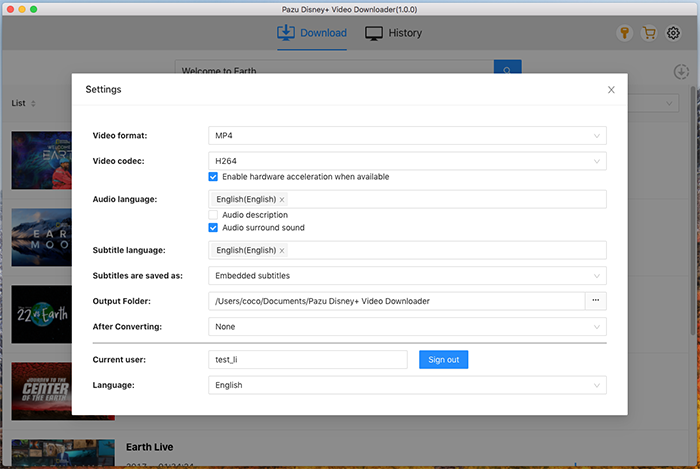
Go to the settings icon to select the video format, video codec, audio languages, subtitle languages, etc. The following are the available options:
Click on the download icon located next to the movie title on the Disney Plus platform. If you want to download the TV shows, you can click on the download icon located next to the selected episode.
There is a quick option to select the audio tracks and the subtitles before you start downloading your favorite movies or TV shows.
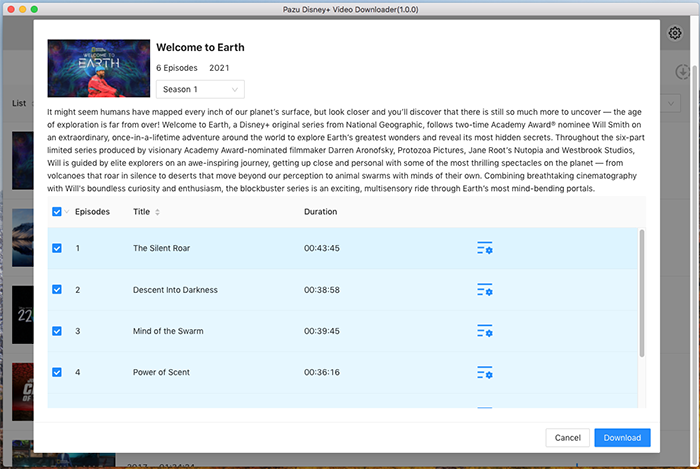
Then click Download button on the right bottom corner. The downloading begins.
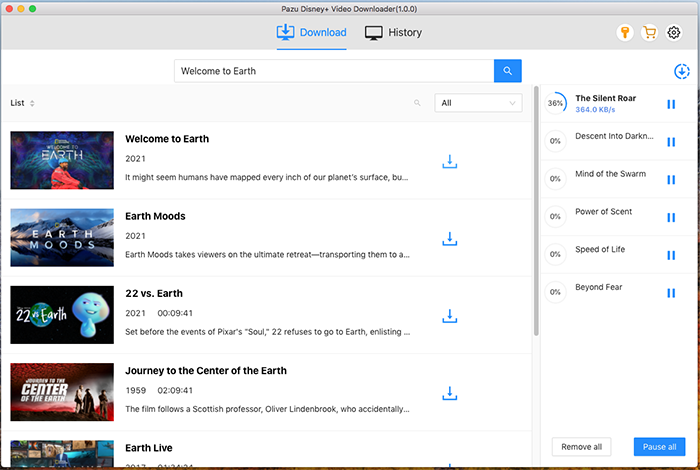
After the video has been downloaded, you can watch it on your computer or transfer it to a USB drive to watch on your Smart TV.
With the help of these easy steps, you can download the movie that you wish to watch. You can enjoy your favorite movie on your Samsung smart TV using the Pazu Disney PLUS downloader app. You can also watch the movie on other devices using the app.

Download Disney+ movies and TV shows to MP4/MKV on your PC/Mac