

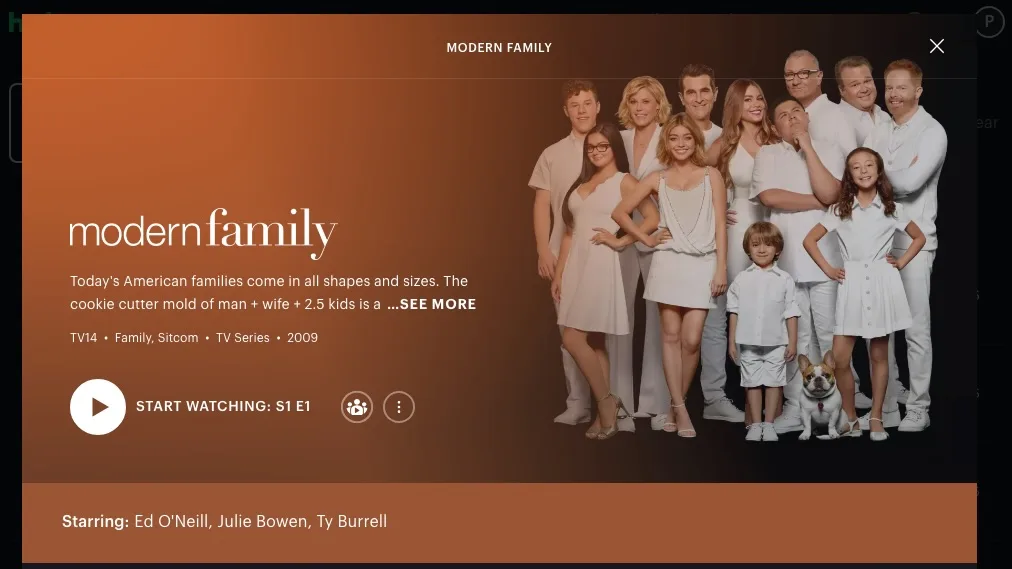
All 11 seasons of Modern Family are on Hulu! While the basic $11.99/month Hulu (With Ads) plan allows online streaming, offline downloads require a Premium subscription (no-ads plan at $18.99/month) or a bundle plan that includes Hulu Premium.
Hulu is only available in the US and Japan. To access Hulu in other countries, you will need a VPN. However, Modern Family is not available on Hulu Japan. Instead, you can watch the show on Disney+ in Japan.
To watch Modern Family on Hulu US, just go to the Hulu web player or app, log in to your account, and search for the show.
The Hulu app is supported across most major devices, including iOS, Android, Fire Tablets, Apple TV (4th gen or later), Chromecast, Fire TV sticks, Roku, PlayStation 4/5, Xbox, Xfinity Flex/X1, and Xumo boxes. For Smart TVs, Hulu is compatible with Android TV/Google TV, recent Samsung models, LG Smart TVs (webOS 3.5+), and Vizio SmartCast TVs. On Mac and Windows PCs, you can stream directly through any supported web browser.
Hulu Premium subscribers can download movies and TV shows on supported iPhone and iPads, Android devices, and Fire tablets for offline playback.
You can download videos while connected to WiFi, or enable Cellular Downloading in your app settings to download using mobile data. You can access your downloads for 30 days. However, once you start playback, you’ll have 48 hours to finish watching before the download expires. If a download expires before you finish, you can tap the Renew Download icon to refresh it.
If you subscribe to the Hulu ad-supported plan, you can’t download content to watch offline.
Luckily, with the professional Pazu Hulu Video Downloader, you can download any Hulu movies and TV shows on Windows and Mac. What’s more, the videos are downloaded in MP4 format, which means you can watch Modern Family on any MP4-supported device and video player. You can also preserve downloaded files forever even if you cancel your Hulu subscription.
Download, install and launch Pazu Hulu Video Downloader on your Mac or Windows. Click the HULU icon, choose hulu.com or hulu.jp, and log in to your Hulu account.

Enter the movie/TV show title in the search field under the Search tab.

Or copy and paste the movie/TV show link from the Hulu website. Then click the Search icon.

Click the 3-line icon in the top right corner and select Preferences to change:
Subtitle types:

If you selected a movie, click the download icon next to it to start downloading.
For a show, click the Download icon to choose the season and episodes.

Then click the Download button in the bottom right corner to start downloading the show to your computer.

Click the History menu to view all downloaded videos. Click the folder icon to quickly locate the Hulu videos in MP4 or MKV format, then you can play them anywhere you want without Hulu.


Download Hulu Video movies and TV shows to MP4/MKV on your PC/Mac