

Black Friday is the best time to get your favorite streaming service at low price. Max 2024 Black Friday deal launched “with ads” plan at a 6-month discount. Subscriptions usually cost $9.99 per month, but users can sign up for just $2.99 per month for six months and then renew at the standard rate. The offer was valid until Cyber Monday (December 2, 2024). The bad news, however, is that Black Friday deals will be coming to an end.
Learn more: https://www.pazu-video.com/tips/how-to-get-hbo-max-free-trial.html

The last day to get the $2.99/month Max Black Friday 2024 deal is 12/2/24, so if you get the deal on the last day, the 6 months discount deal will end on Jun 1, 2025. You will be charged $9.99 on your next billing date, namely if you don’t cancel it.

If you don’t want to be charged the regular price, visit https://auth.max.com/subscription and click Cancel Your Subscription. You will get a retaining offer: $4.99/month for 3 months, then $9.99/month.

Max Basic with Ads plan is included for free with DashPass Annual Plan, which costs $8 per month. That means for $96/year, you get Max with Ads for the whole year, plus the basically free DashPass on top. Even if you don’t use DoorDash even once, it’s still a better deal to do it, since you’re saving each month.

Note that if you get free Dashpass through a credit card benefit, it doesn’t come with the free Max. You still have to pay the $96 to “upgrade” to Doordash annual plan to get Max with Ads.
You can also sign up for the Max Standard plan through DoorDash for $10.99/month (plus applicable taxes), saving 6.99/month. Read more: https://help.max.com/us-en/Answer/Detail/000002589
You can also download unwatched movies and TV shows to MP4 and watch them even after cancelling the subscription.
During your subscription, whether ad-supported or ad-free, you can use Pazu HBO Max Video Downloader to download your favorite movies and TV shows to MP4 and watch them whenever you want, even after cancelling HBO Max subscription.
Pazu HBO Max Video Downloader is developed to download 1080p movies and TV shows from HBO Max to MP4/MKV on Mac and Windows. After that, you can watch the HBO Max MP4 downloads on any device without HBO Max app. What’s more the downloads will never expire.
Even if you only have HBO Max as-supported subscription, you can download HBO Max movies and TV shows to MP4 with Pazu HBO Max Video Downloader.
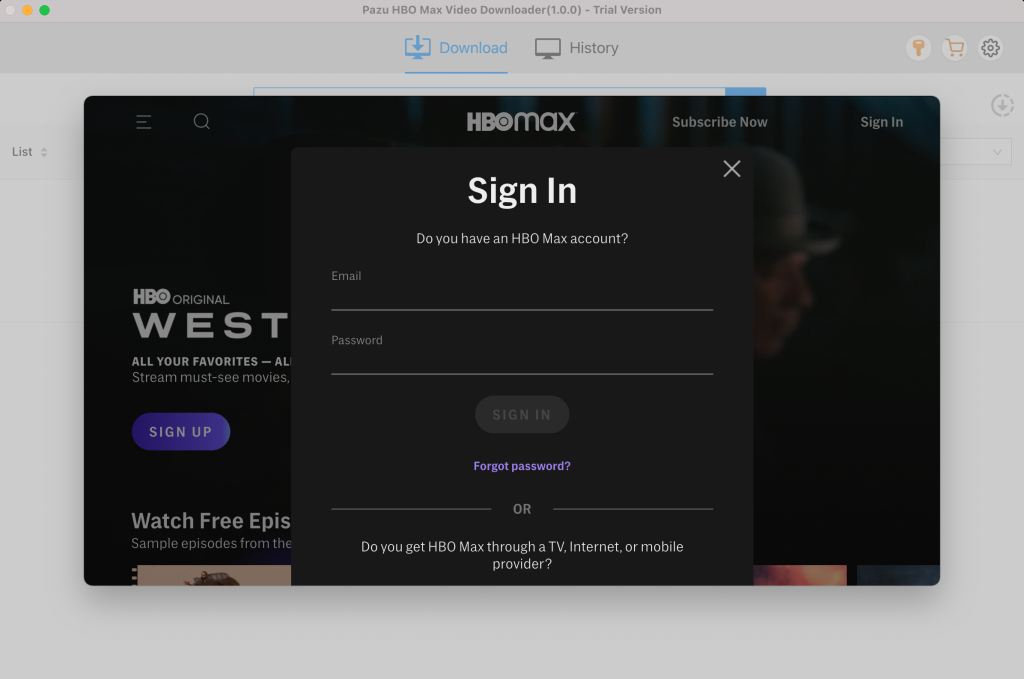
Step 1: First, you need to install the software on the device whether it is Mac or Windows. After launch the software, it will redirect to the screen where you have to log in your HBO Max account.
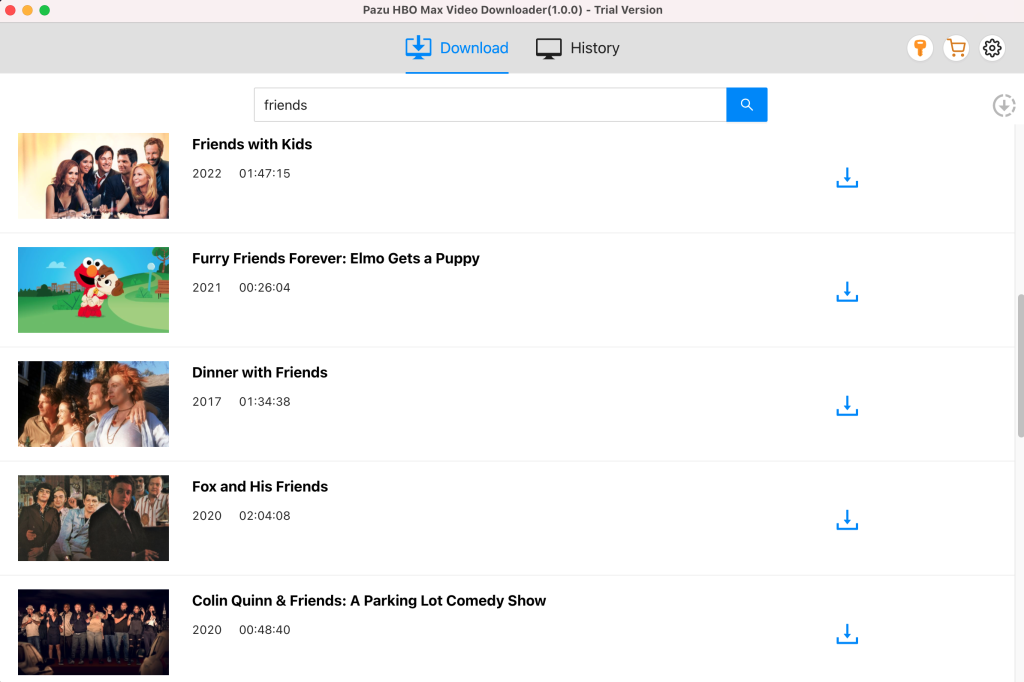
Step 2: After logging into your account, type the show or movie you want to download in the search field and click the search icon.
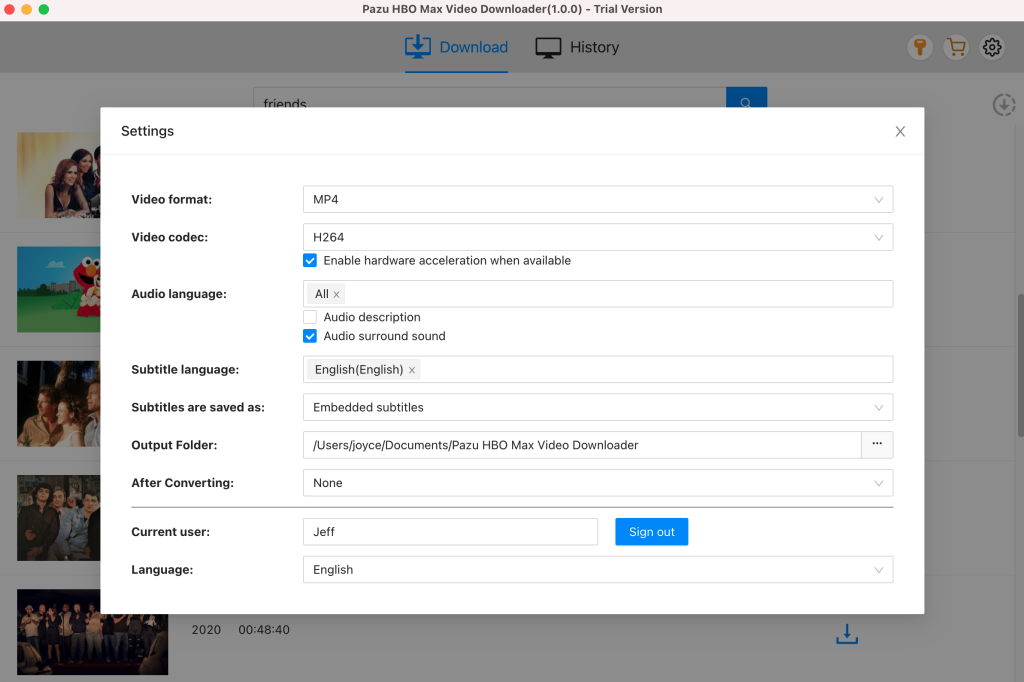
Step 3: Click the gear icon on the top right corner to select the video format, codec, audio and subtitle languages, output folder, etc.
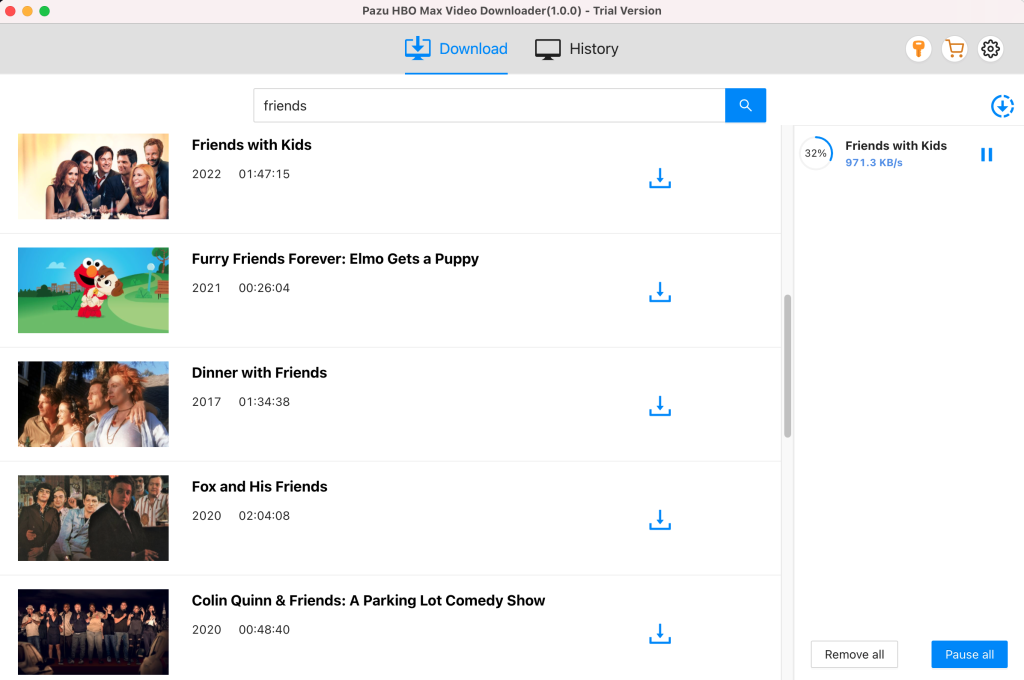
Step 4: After doing all the changes, simply click on the download button. For movie, the downloading starts immediately. For TV show, you will be presented with all episodes. Select the seasons and episodes you want to download.
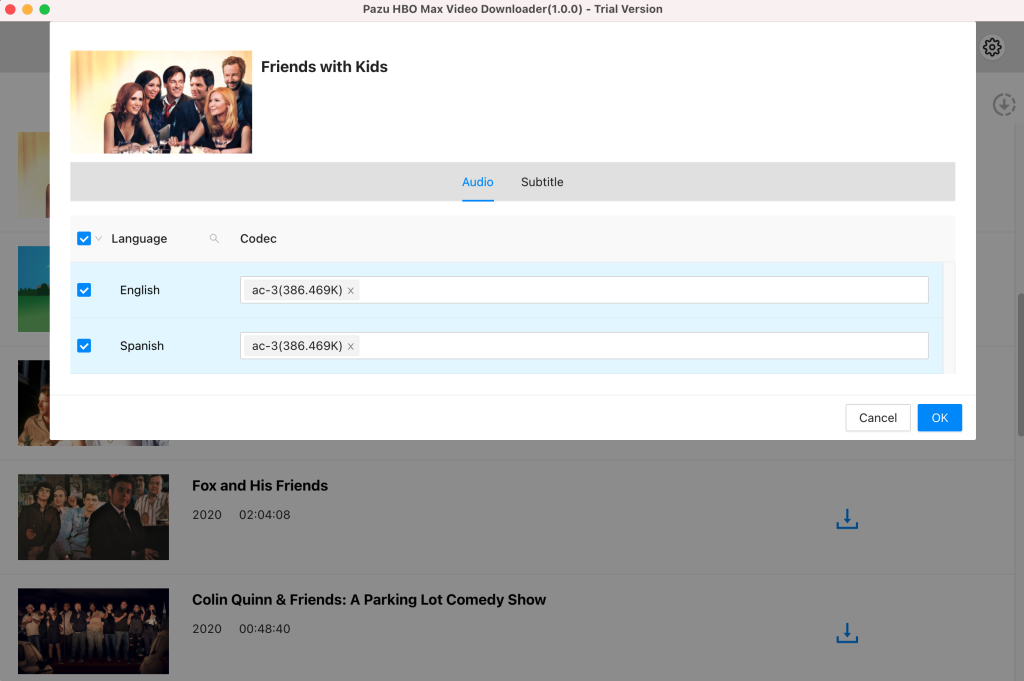
Further, if required you can change the subtitle and audio track by clicking on the gear-like icon.
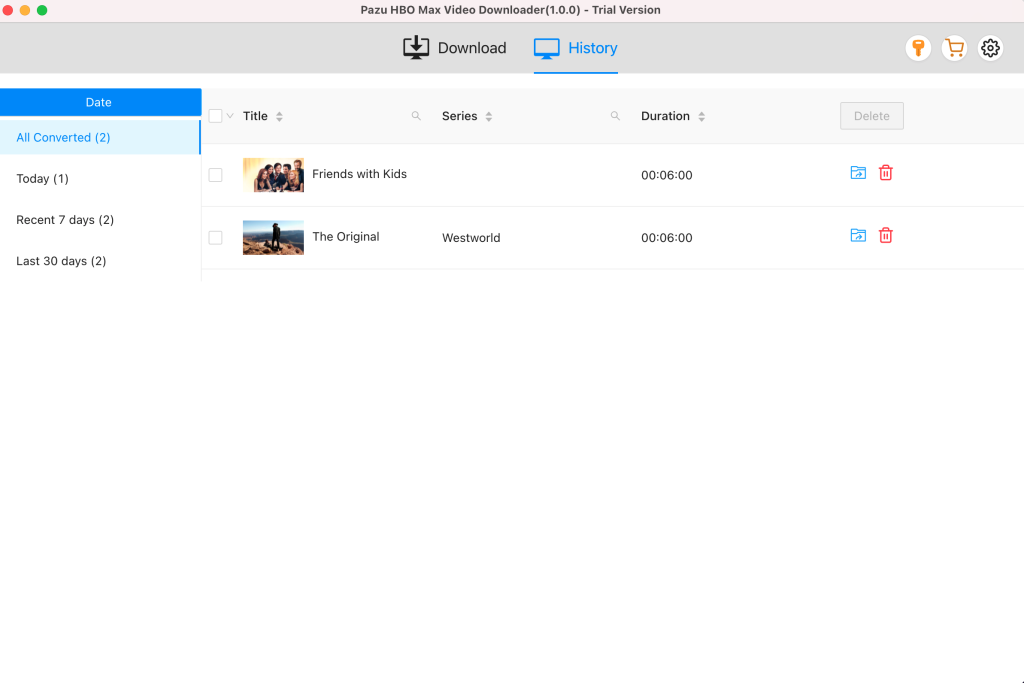
To see all the downloaded items, go to the History tab.

Download HBO Max Video movies and TV shows to MP4/MKV on your PC/Mac