

With over 2.49 billion monthly active users, YouTube is the most popular video social media platforms worldwide. You can watch all kinds of videos there. However, only premium users can download videos to watch offline. You’ve probably searched Google for “download YouTube videos” and all you’ve found is a weird looking website with lots of annoying ads. Actually there are some better ways to download videos from YouTube, check them out.
Contents
Cobalt is open source with many instances to download YouTube videos. The main instance https://cobalt.tools is blocked by YouTube. You can switch between any of the other instances as you please. A list of Cobalt instances can be found here – https://cobalt.directory/ or https://instances.cobalt.best/. Currently https://cobalt.meowing.de/ is working.

Pros:
Cons:
https://yout.com is a more powerful online YouTube Video downloader with paid features. To download 720p and higher quality videos, you need to pay $12 per month or $ 108 per year to upgrade. Once upgraded. you can also download video segment and keep subtitles if available.

You can also easily delete the UBE from the YouTube Video URL to quickly access the downloader.

Pros:
Cons:
9xBuddy.com is an online site for downloading videos and audio books for offline viewing/listening. It also has desktop and mobile applications. It also has several other options, such as time-limited clips, downloadable video thumbnails (including a separate download option for the new animated thumbnails that YouTube has recently started using), and more.
It also has Windows, Mac, Linux and Android app, but only free for 3 days. You need to top up your account to use some features after 3 days.

cnvmp3.com is an online tool which allows you to download audio/video from YouTube.com and save it in MP3/MP4 format. You can download anything from YouTube in MP3 or MP4 format simply by copy and pasting an URL from YouTube video.
Pros:
Cons:

TubeRipper.com is a online service that allows you to extract and download Audio (sound only), Video (audio + video) and Muted Video (video only) files from Youtube videos.
However, it can only download YouTube videos in 360p. If you choose to download muted video, it supports downloading in up to 2160p.

Cons: Only download YouTube video in 360p.
However, online youtube downloader sites are not stable. Most of those YouTube downloader sites either turning into scams or being full of ads. Or they often don’t work.
That’s actually why we recommend professional YouTube Downloader apps. It’s designed to be integrated into apps or projects without the risk of malware or dodgy ads. If you want to get a stable YouTube Video Downloader, this might be worth looking into!
yt-dlp is a command-line tool without an official graphical interface that lets you download videos from thousands of sites. The basic usage of yt-dlp is to run commands with URLs in a terminal application (or PowerShell or “Command Prompt” on Windows), preferably within quotes to prevent parsing errors. The address can be any video, audio file or playlist from one of the thousands of supported websites. yt-dlp is not easy to install and use especially if you’re not familiar with command line tools.
Pros: Free
Can download YouTube shorts.

YT Channel Downloader is an intuitive desktop application for downloading MP4 videos from YouTube media content. The tool leverages the power of yt-dlp, scrapetube and pytube with a modern PyQt 6 graphical user interface to provide a seamless experience for downloading your favorite content. It also supports downloading all or part of a video from a playlist URL or channel URL. You can also download private or age-restricted content by logging into your YouTube account directly in the program.
Pros:

App for Mac, Windows, Ubuntu and Android
4K Video Downloader Plus allows you to download videos from all popular websites including YouTube, Vimeo, TikTok, SoundCloud, Facebook, Twitch, Bilibili and more in high-quality.

Pros:
Cons:
YTDLnis is a free and open source yt-dlp based Android app that allows you to download video/audio from over 1000 websites including YouTube. Besides download YouTube videos to MP4 video, you can also download audio in various formats, such as MP3, WEBM, M4A, OGG, FLAC, WAV, etc. You can customize resolution, format, subtitles, metadata, chapters, and more for each download.
How to install YTDLnis on Android?
YTDLnis is not available in Google Play Store. You need to download the APK file from YTDLnis website or Github page.

Seal is also an open source video/audio downloader for Android that supports YouTube and many other website. Just enter the URL for content you want to download from YouTube and Seal will help you save the content as MP4 video. You can use Seal to download all videos in the playlist with one click. It supports embedding metadata and video thumbnail into extracted video files.

NewPipe is still an open source Android app. Unlike above 2 YouTube video downloader, it is also a free Youtube client that allows you to get the original YouTube experience on your smartphone without annoying ads and questionable permissions. It allows you to download YouTube videos to MP4 format. You can download NewPipe, the YouTube client (downloader) via any one of the following methods:

StreamGet All-In-One Video Downloader allows you to download videos from popular streaming platforms like Netflix, Prime Video, Disney+, Max, Hulu, Apple TV+, YouTube, Twitter, and Facebook, even if you have an ad-supported subscription. Whether you’re on a Mac or Windows, you can easily download videos from these platforms.
Follow the steps below to learn how to download YouTube videos to MP4/MKV on your Mac or Windows.
Download, install and run Pazu StreamGet on your Mac or Windows. Select YouTube as video source.

Click the gear icon in the top right to customize output settings such as video format (MP4/MKV), quality (high/medium/low), codec(H264/H265), audio and subtitle language, subtitle types (Soft/External/Hard ), output folder, interface language, and more.
Once done, click the X icon in the top right corner to save your changes.

Search the video you want to download with the built-in web player or copy and paste the YouTube video URL you want to download, then click the search icon.
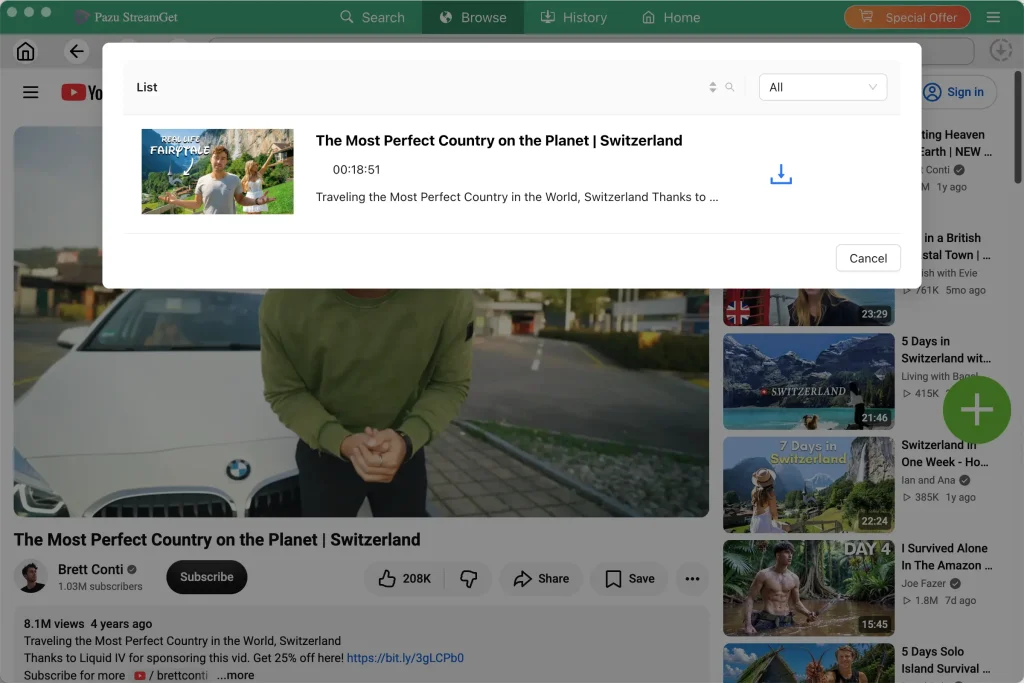
If the video is want you want, click the Download icon next to the title to start downloading.
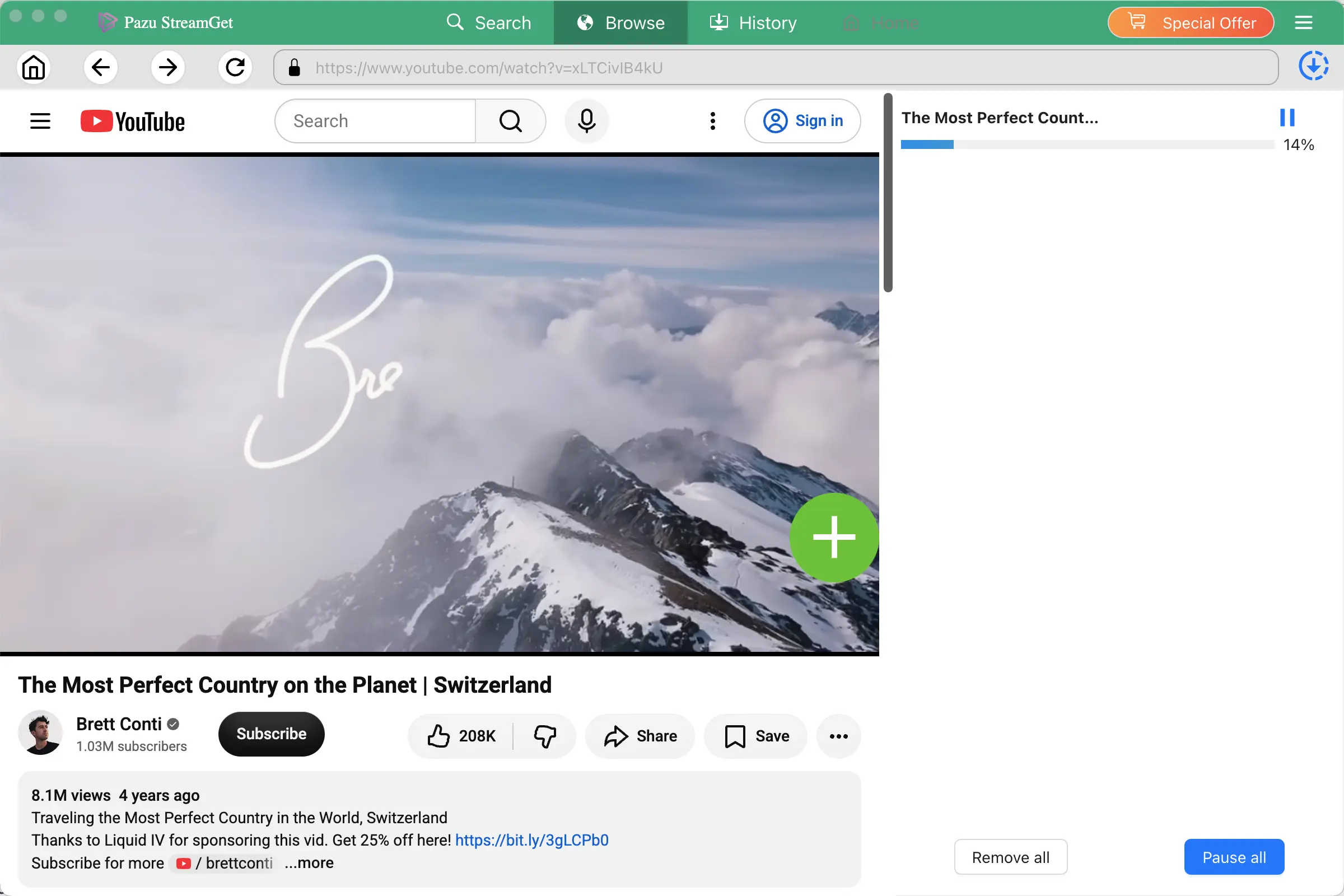
After downloading, click History to find the downloaded video. You can now play it anywhere you want.
If you want to switch to other platforms for downloading, click the List icon (the four squares icon) in the top right corner.
Related articles

All-In-One Video Downloader