

Featured Apple originals, Apple TV streaming service can be widely accessed through the Apple TV app, available on Apple devices, smart TVs, streaming sticks, computers, game consoles, and Android devices. While the Apple TV app has been available on Android TV and Google TV for years, Apple officially launched the Android mobile app on the Google Play Store in early 2025 for smartphones and tablets. In this guide, we’ll walk you through how to download the Apple TV app, set up your account, and start streaming on any Android device.
The Apple TV app for Android phones and tablets requires Android 10.0 or later. Note that the app is dedicated to subscription streaming: you can watch the Apple TV streaming library and stream live sports like Friday Night Baseball and MLS Season Pass. While you cannot buy or rent movies and TV shows directly within the Android app, you can access what you’ve purchased or rented on another device.
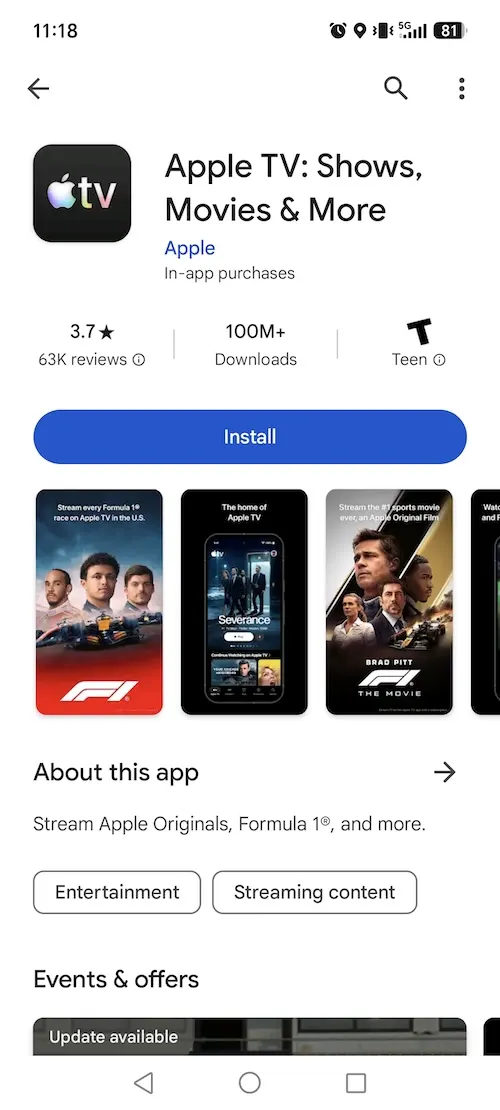
How to download the Apple TV app on an Android phone or tablet:
If you can’t find the app in the Play Store, your device may not meet the minimum Android OS requirements or the Apple TV service may not be available in your region.
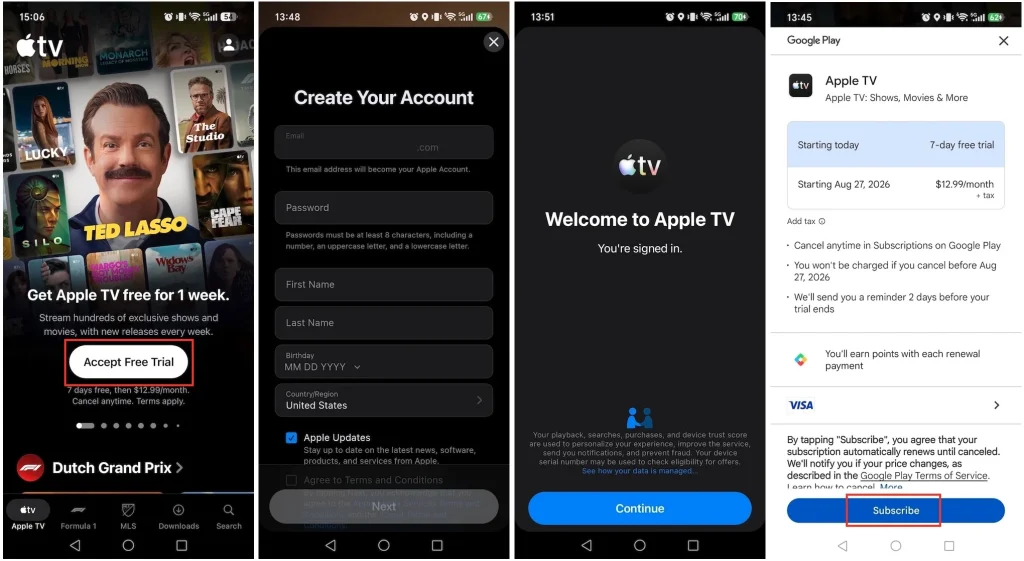
You can subscribe to Apple TV on Android without owning an Apple device. Simply sign up directly through Google Play In-App Purchases or online via credit card.
Apple TV subscription costs $12.99 per month and includes sharing with up to five family members. New users get a 7-day free trial. You can also get free Apple TV or longer free trials with the following options:
Your 7-day Apple TV free trial via Google Play is now active. Once the trial expires, you’ll be charged the standard monthly fee. If you don’t want to be charged, be sure to cancel before the trial ends.
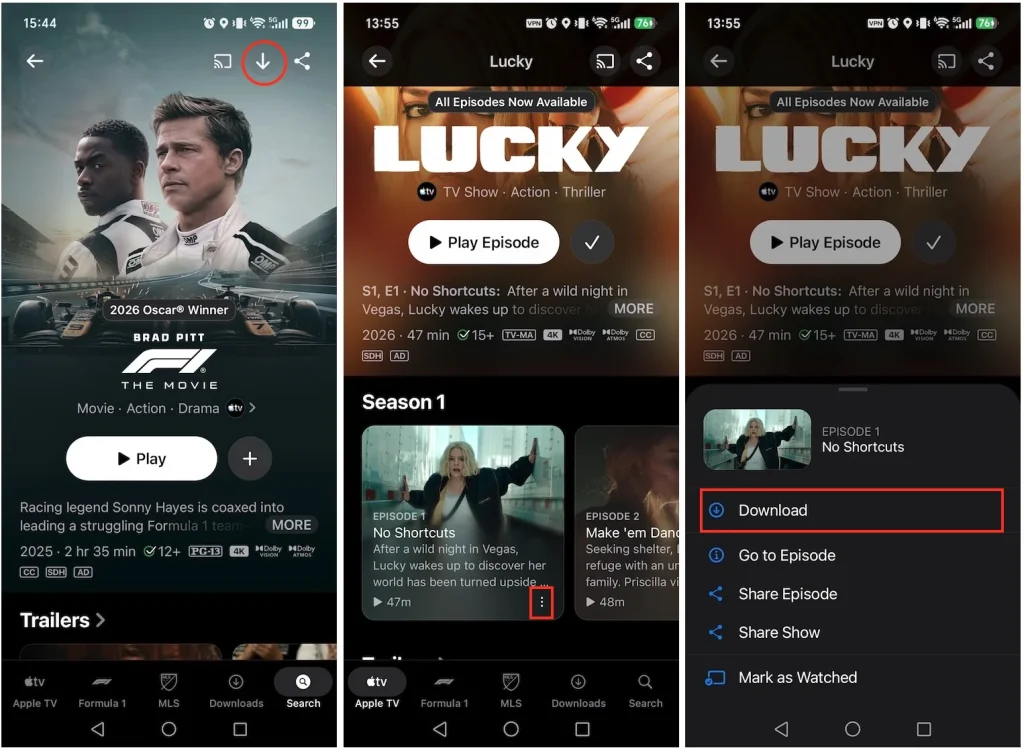
Apple TV Android app supports downloading movies and shows for offline playback.
If you want to watch Apple TV on a larger screen, the Apple TV app for Android TV and Google TV devices has been available since 2021. Like the Android mobile app, the Apple TV app on Android TV does not support renting or purchasing movies and TV shows directly. However, you can easily stream any movies or shows you previously rented or purchased on another device.
Here’s how to get the Apple TV app on your Android TV.
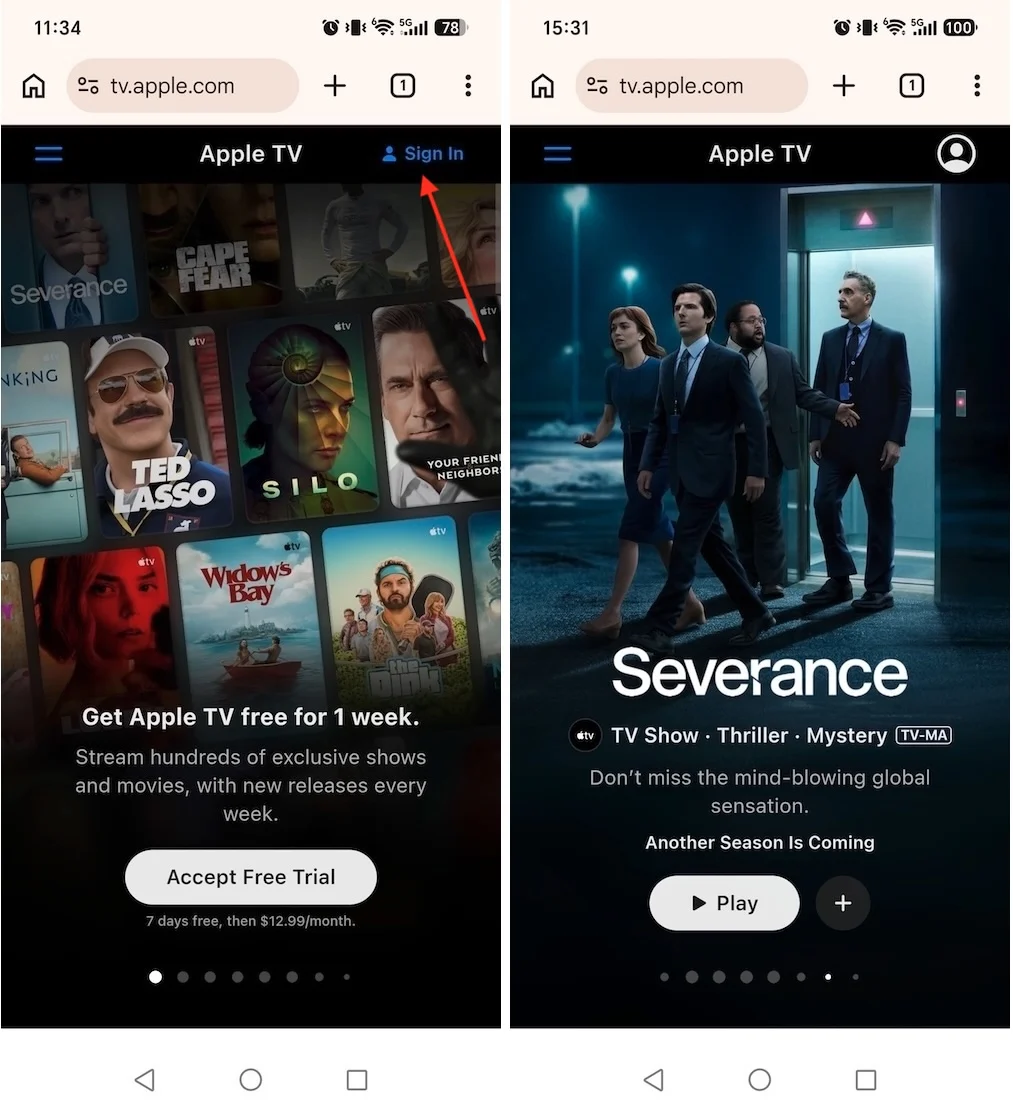
If you don’t want to install the Apple TV app on your Android device, you can stream it on browsers like Chrome or Firefox. Visit the Apple TV web player and sign in with your Apple TV subscription account. Then you can enjoy Apple TV content, MLS games, and more.
If you don’t have an Apple account yet, visit the Apple account webpage to create one. Then subscribe to Apple TV to start watching.
Another way to watch Apple TV content on Android devices is to download the movies and shows as MP4s. While Apple allows downloads on Mac, PC, iPhone, iPad, Android, and Apple Vision Pro, playback is restricted to the Apple TV app on that device. To watch on any Android phone, tablet, or other device, you can use tools like Pazu Apple TV Video Downloader. It saves movies and shows as MP4 or MKV files on Mac or Windows, allowing you to transfer them to any player and enjoy offline playback—even after your Apple TV+ free trial or subscription expires.
Step 1: Download and install the software on your Mac or Windows. After launching the software, select “APPLE” and log in to your Apple TV account.

Download Apple TV movies & TV shows to MP4/MKV.

Step 2: After logging in to your account, enter the show or movie you want to download in the search tab, then click the search icon.

Step 3: Click the three-line icon in the top right corner > “Preferences” to select the video format, codec, audio and subtitle languages, output folder, etc.

Step 4: After making all the changes, click on the Download icon. For movies, downloads start immediately.
For TV shows, you will be presented with all episodes. Select the seasons and episodes you want to download.
In addition, you can change the subtitle and audio track by clicking on the gear-like icon.

Step 5. To see all the downloaded items, go to the History tab. Then you can transfer them to any supported device for offline playback.


Download Apple TV Plus Video movies and TV shows to MP4/MKV on your PC/Mac