

Prime Video is a streaming video service by Amazon and included with an Amazon Prime membership. Prime Video is available on hundreds of compatible devices. You can stream from the web or using the Prime Video app on your smartphone, tablet, computer, set-top box, game console, or select smart TVs.
Is there a faster and easier way to keep your favorite streaming videos in the future without risk of the streaming service removing it from its lineup? The answer is yes. All you need is a professional Amazon Prime Video Downloader. We have tested most Amazon Prime Video Downloader tools on the internet and made a recommendation list.
Pazu Amazon Prime Video Downloader is a professional video download tool specially designed to help users download videos from Amazon Prime Video. To make it user-friendly and easy to use, the program is designed with a concise interface. It helps to download any Amazon videos, including the latest videos, in 1080p quality, and allows you to choose any subtitles and audio tracks to keep. You can choose to download the videos in MP4 or MKV format. Also, you can download batches of videos at one time and the videos will be downloaded fast. Pazu Amazon Prime Video Downloader is available on Windows 10/11 and Mac OS X 10.11 and later.
Pazu Amazon Video Downloader features:
To get started, first you need to download, install and run the Pazu Amazon Video Downloader app on your Mac/Windows. Select AMAZON and sign in with your Amazon account.

Click the Settings icon > “Register” and enter your registration code to unlock the full version if you have purchased a registration. If you haven’t, go ahead with the free trial version.
Select the Search tab on top and start typing the name of the movie or the TV show. Now browse through the results and find something you want to download.

Or you can copy-paste the link of the TV show or movie. Click the search icon to find the TV show or movie you’re looking for.
Before starting to download anything, you’ll need to choose the video quality setting. To do that, tap the Settings icon at the upper right and select “Preferences”. It is easy to select the output settings at this step using video formats, video codec, audio languages, or subtitle languages.

Choose External subtitles to same them as separate files if you dislike subtitles in your video and only use subtitles when absolutely necessary.
A tip for video codec, it is better to use h264. As it has more chances of content availability in 1080p than h265. Not all titles have all resolutions available in both codec. Especially for old or unpopular content. It’s the same for audio. Multichannel is better (EAC3) than stereo (AAC) and the quality varies for each title.
Tap the download icon next to the movie or TV show you want to download.
If your selection is a movie, click  icon next to it and the downloading begins.
If your selection is a TV show, click icon next to it to select the episodes you want to download.

Before downloading, you can also click  to choose subtitles and audio tracks for each episode. Audio and subtitle languages in Settings only show the 6 common languages. Here you can choose any language from whatever the movie or TV show provides.


Then click Download.
To find the content you’ve downloaded, click the History icon at the top.

Now you can locate the downloaded Prime Video MP4 videos and watch them offline anywhere you want.
PlayOn Cloud is an app for iOS and Android that allows you record Prime Video shows and movies and download the recordings to your phone, tablet, Android TV, computer, or cast recordings to your TV. PlayOn will automatically skip any ads, so you can watch commercial-free Prime Video, anytime, anywhere, even offline. Keep in mind that PlayOn Cloud captures Prime Video in real time so it’s as if watching on your screen.
Price:
How to record Amazon Prime Video with PlayOn Cloud?

Output format: MP4, MKV
Platform: Windows, Mac
Free trial: 3 free downloads for each streaming service.
Download quality: Currently, StreamFab can only download the Amazon new released videos in 1080p with re-encoding mode.
StreamFab has the Prime Video Downloader module to download Amazon Prime videos as 1080p/720p MP4/MKV files with AAC 2.0 audios and Dolby Atmos 5.1 surround sound. Besides Amazon Prime Video, StreamFab also supports downloading video from Netflix, Disney+, Hulu, Max, Paramount+, Peacock, AppleTV+, etc. You can purchase an all-in-one license or only purchase License for the streaming service you use.
To download Prime Video titles, you need a Prime Video subscritpion account. You are allowed three free downloads from each streaming service with the free trial. And after you’ve exhausted the three free downloads, you’ll need to buy a StreamFab subscription for any additional downloads. Note that all downloads must be done through the StreamFab app, not your web browser.
KeepStream and StreamFab are from the same company with Same UI. In summary, don’t buy KeepStreams because you’re having issues with StreamFab, and vice versa, as they will experience the same issue.
Platform: Windows, Mac
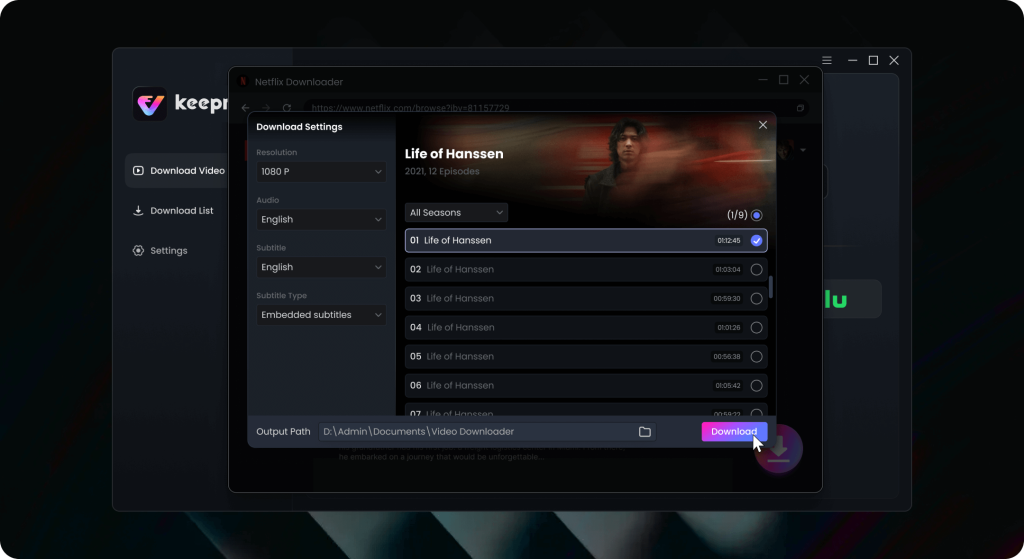
Keeprix Downloader fully supports downloading streaming videos on Windows PCs, laptops, iMacs, and MacBooks. Enjoy seamless high-definition downloads in MP4 or MKV formats, completely free of ads. Watch streaming content from Netflix, Amazon Prime, Disney+, and more offline anytime, anywhere using a single player.
Well, that depends on your use of the software. If all you’re doing is using it to download videos so that you can watch them offline, you shouldn’t see any issues. If you are using the output for something other than your own personal use, then it is probably illegal activity.
Professional Prime Video Downloader makes it simple to download your favorite movies and TV shows to MP4/MKV for future watch in case they leave Prime Video someday. Most of the above Prime Video Downloader tools are able to download Prime Video in 1080p. You can use MediaInfo app to check resolution, bitrate and audio parameters of the downloaded videos.
Related articles

Download Amazon Prime Video movies and TV shows to MP4/MKV on your PC/Mac